Back to Blog
AI & TechnologyApril 2, 20269 min read

AI Furniture Photography Before & After: What It Actually Looks Like

Enough theory. Let's look at what happens when real furniture brands feed product photos into AI room scene generators. The results might surprise you.

๐Ÿ’ก Key Takeaways

  • โœ“AI room scene generators transform basic product photos into photorealistic lifestyle imagery
  • โœ“The 'before' doesn't need to be perfect โ€” even phone photos produce strong results
  • โœ“Best results come from clean product photos with simple backgrounds
  • โœ“One product photo can generate dozens of different styled room scenes
  • โœ“Most furniture brands see 2-3x conversion rate improvements after adding AI-generated lifestyle images

The Skepticism Is Understandable

When you hear "AI-generated room scenes," the natural reaction is skepticism. Will it look fake? Will customers notice? Is it really comparable to professional photography?

These are fair questions. And the best way to answer them isn't with marketing claims โ€” it's with real examples. Let's walk through exactly what happens when furniture brands run their product photos through AI room scene generators in 2026.

How It Works: The 30-Second Process

Before diving into results, here's the actual workflow. It's simpler than most people expect:

  1. 1Upload a product photo. This can be a professional studio shot, a manufacturer-supplied image, or even a clean phone photo. The AI needs to see the product clearly โ€” that's the only requirement.
  2. 2Choose a room style. Modern living room, cozy bedroom, Scandinavian dining room, industrial loft โ€” you describe the environment you want the product placed in.
  3. 3Generate. The AI analyzes your product's shape, color, texture, and proportions, then generates a photorealistic room scene with the product naturally integrated. This takes about 30 seconds.
  4. 4Download and use. The output is a high-resolution image ready for your website, social media, ads, or print materials.

Try It Yourself

The fastest way to understand what AI room scenes look like is to try it. furn's free AI studio lets you upload any furniture product photo and generate a room scene in 30 seconds. No signup required.

Scenario 1: The White-Background Product Shot

The before: A standard white-background product photo โ€” the kind that comes from manufacturers or basic product photography. Clean, professional, but completely devoid of context. It tells you what the furniture looks like, but nothing about how it feels in a room.

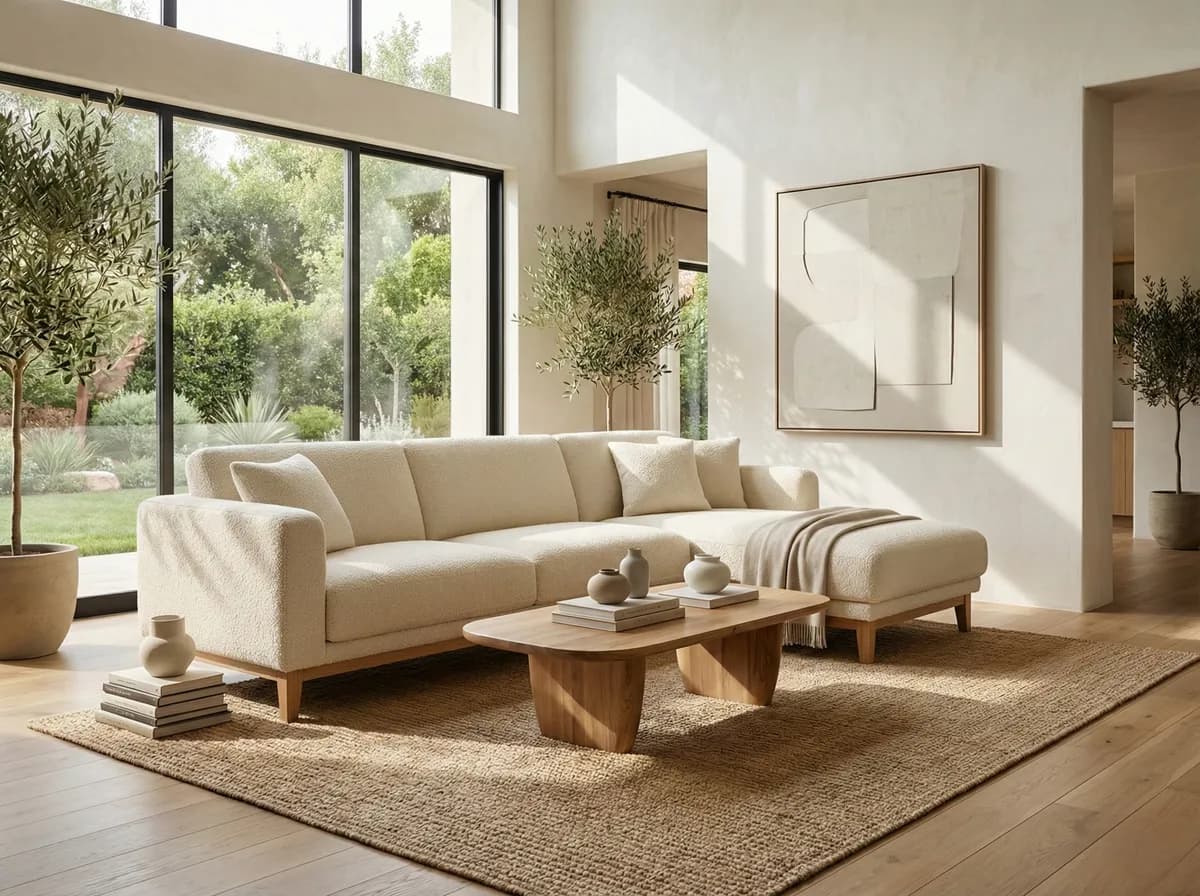
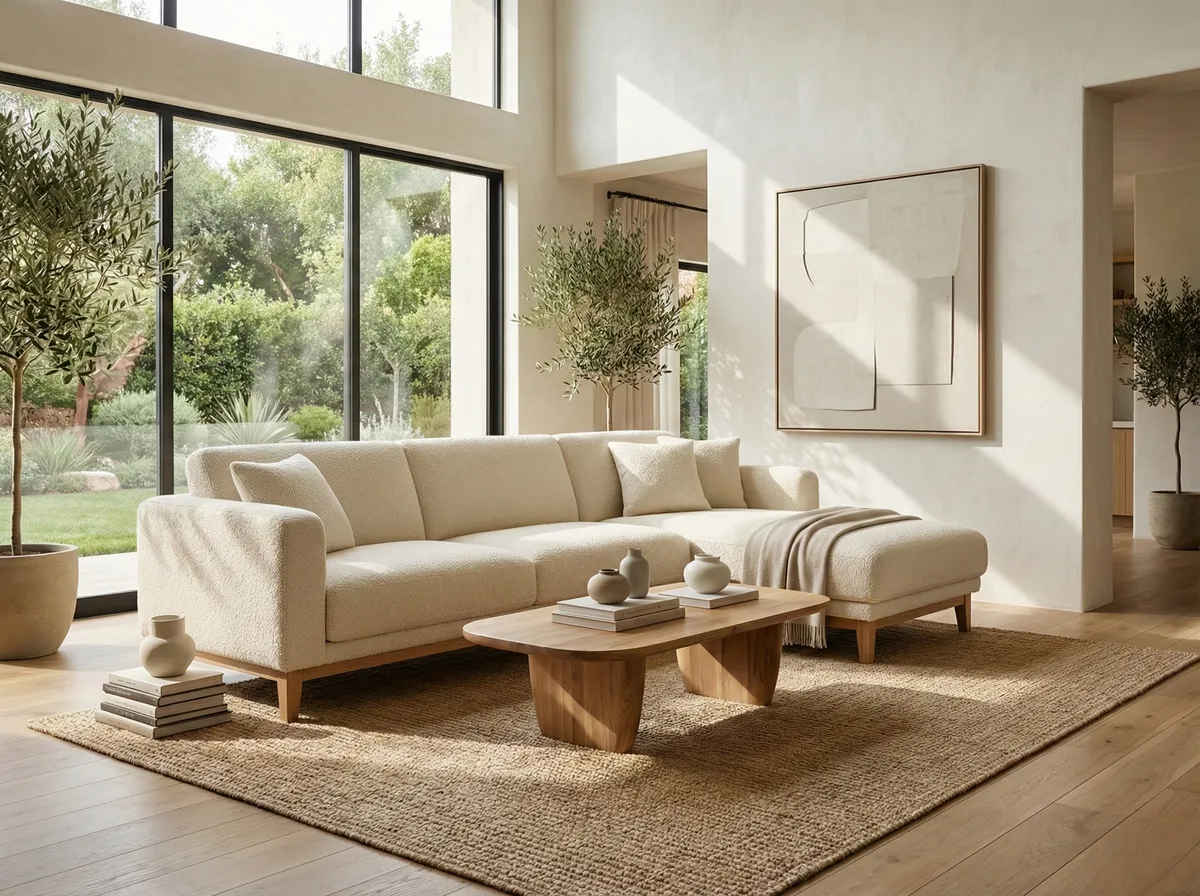
The after: The same product placed in a fully styled room โ€” complementary furniture, natural lighting, architectural context, decorative accessories. The product is the hero of the scene, but it's the room that sells the lifestyle.

What changes: White-background shots get scrolled past on social media and forgotten on product pages. The room scene version stops the scroll, gets saved on Pinterest, and helps customers visualize the piece in their own home.

โ€œOur product pages had the same manufacturer photos as every other retailer selling the same brands. We ran AI room scenes for our top 50 products. Conversion rate went from 1.8% to 4.2% in the first month. Same products, same prices โ€” just better images.โ€

โ€” Ecommerce Manager, Multi-Brand Furniture Retailer

Scenario 2: The Showroom Floor Photo

The before: A photo taken on the showroom floor. The furniture looks fine, but there's fluorescent lighting, other products in the background, and the styling is whatever the floor layout happens to be. Not terrible, not great.

The after: The AI isolates the product from the showroom background and places it in a purpose-built room scene. The lighting becomes natural and warm. The context becomes aspirational. The product goes from "item on a sales floor" to "centerpiece of a beautiful room."

Why this matters: Most furniture retailers have hundreds of showroom photos that are "good enough" for their website but not good enough to drive engagement or conversion. AI transforms these into marketing-quality assets without reshooting a single product.

Scenario 3: The Phone Photo

The before: A phone photo of a new product arrival. Maybe slightly off-angle, maybe the lighting isn't perfect, but the product is clearly visible. This is the reality for most small furniture brands โ€” you don't have a photography studio on-site.

The after: Surprisingly good. Modern AI room scene generators handle imperfect inputs better than you'd expect. The product gets properly lit, scaled, and integrated into the scene. The result isn't as perfect as starting from a professional studio shot, but it's dramatically better than the phone photo and absolutely usable for social media and product pages.

Input Quality Matters โ€” But Less Than You Think

The biggest myth about AI room scene generators is that you need perfect product photography as input. In practice, a reasonably clear photo with a simple background produces excellent results. You don't need a $50,000 photography setup โ€” you need a well-lit product and a phone camera.

Scenario 4: One Product, Multiple Rooms

This is where AI photography creates value that's genuinely impossible to replicate with traditional photography at comparable cost.

The before: One product photo.

The after: The same product in 8โ€“10 completely different room settings:

  • โ€ขA modern urban apartment with floor-to-ceiling windows and city views
  • โ€ขA cozy cottage living room with exposed beams and a fireplace
  • โ€ขA bright Scandinavian space with white walls and natural wood accents
  • โ€ขA luxurious contemporary home with marble accents and designer details
  • โ€ขA bohemian-styled room with plants, textiles, and warm lighting
  • โ€ขA coastal retreat with ocean blues and natural textures
  • โ€ขA mid-century modern setting with vintage accents
  • โ€ขA family room with lived-in warmth and approachable styling

Each of these would require a separate location, separate styling, and a separate day of photography in the traditional model. Cost: $4,000โ€“$16,000. Time: 4โ€“8 weeks.

With AI: 8 images generated in under 5 minutes. Total cost: essentially zero.

The strategic value: Different room styles appeal to different customers. A minimalist buyer and a bohemian buyer are both potential customers for the same sofa โ€” but they need to see it in their context. Multiple room scenes mean you're speaking to multiple audiences with one product.

Scenario 5: Seasonal Refresh

The before: The same product images you've been running since launch. Your Instagram feed looks the same in April as it did in November.

The after: The same products, but the room scenes change with the seasons. Spring: light-filled rooms with fresh flowers and open windows. Summer: outdoor settings, bright natural light, coastal vibes. Fall: warm tones, cozy textures, fireplace glow. Winter: holiday warmth, rich colors, layered textiles.

Why this drives results: Seasonal content relevance is a massive engagement driver. Customers scroll past the same static images they've seen before. Seasonal room scenes feel fresh, timely, and relevant โ€” which means higher engagement, more saves, and more clicks to your product pages. See our seasonal campaigns guide for the full playbook.

What AI Can't Do (Yet)

Let's be honest about the limitations. AI room scene generators are powerful, but they're not magic:

  • โ€ขExact fabric and material reproduction. AI generates a convincing approximation of textures, but if a customer needs to see the exact grain of a specific walnut finish, you still need real photography.
  • โ€ขDetail close-ups. Stitching patterns, hardware mechanisms, joinery โ€” these need real photos. AI excels at room-scale scenes, not macro-level detail.
  • โ€ขExact color matching. AI room scenes look photorealistic, but the specific hue of a product may shift slightly. For color-critical decisions, reference real product photos alongside AI scenes.
  • โ€ขComplex multi-product staging. Placing one product in a room? Excellent. Staging an exact room layout with 8 specific products from your catalog in precise positions? Not quite there yet.

The practical implication: use AI for lifestyle context and traditional photography for product detail. The combination is more powerful than either alone. Your product page gets AI-generated lifestyle hero shots AND real close-ups of materials and construction. Customers get both the dream and the details.

The Numbers: Before and After AI Adoption

Here's what furniture brands typically see after adding AI-generated room scenes to their marketing:

MetricBefore AI ScenesAfter AI ScenesChange
Product page conversion rate1.5โ€“2.5%3.5โ€“6%+130โ€“150%
Social media engagement rate1.0โ€“1.5%3.5โ€“5%+200โ€“300%
Product image count per SKU2โ€“3 images6โ€“10 images+200โ€“300%
Content production cost per SKU$300โ€“$1,500$5โ€“$20-95%+
Time from product to published listing2โ€“6 weeksSame day-90%+
Product return rate10โ€“15%6โ€“9%-30โ€“40%
Pinterest saves per product5โ€“15/month40โ€“100/month+400โ€“600%

The conversion rate improvement alone typically covers the cost of AI tools within the first week. The reduction in returns โ€” driven by customers having better expectations of what the product looks like in a real room โ€” is often the biggest long-term savings.

Getting Started: A Practical Path

If you're considering AI room scenes for your furniture brand, here's the lowest-risk way to start:

  1. 1Pick your top 10 products by traffic/revenue. These are the SKUs where better imagery will have the biggest immediate impact.
  2. 2Generate 3โ€“4 room scenes per product. Use the free AI studio โ€” no commitment, no cost. See the quality for yourself.
  3. 3A/B test on your product pages. Run the AI lifestyle images against your current images for 2โ€“4 weeks. Measure conversion rate, time on page, and bounce rate.
  4. 4Measure and expand. If the results are positive (they almost always are), roll out AI scenes across your entire catalog. A 200-SKU catalog takes 2โ€“3 days to complete.

The Bottom Line

AI furniture photography in 2026 isn't experimental โ€” it's operational. Thousands of furniture brands are using AI-generated room scenes as a core part of their marketing workflow, and the results speak for themselves: higher conversion rates, lower production costs, faster time to market, and fresher content across every channel.

The before/after story is consistent: brands go from sparse, static product imagery to rich, lifestyle-driven visual marketing โ€” and the business results follow. The only question is whether you start now or wait until your competitors have already made the switch.

See Your Own Before & After in 30 Seconds

Upload any furniture product photo to furn's free AI studio and see what AI-generated room scenes look like with your actual products. No signup, no credit card.

Try the Free Studio โ†’

Ready to see it in action? Try furn's free AI photography tool โ€” generate photorealistic room scenes from a single product photo in 30 seconds. No signup required.