01
Choose one real product.
Use a catalog product or upload a clear photo. Keep the original or choose a suitable room direction. Confirm the name, price, product facts, and shopper destination.
AI MARKETING. MADE FOR FURNITURE.
Give your next best seller its close-up. Turn a furniture photo into a five-second video, then build the images, copy, and campaigns around it. One product. So many ways to show it off.
Free video preview · No signup first · No card required
Product videos ✳ Room scenes ✳ Social & ads ✳ Email creative
ONE PRODUCT. ONE OFFER. THREE SIMPLE STEPS.
Use a catalog product or upload a clear photo. Keep the original or choose a suitable room direction. Confirm the name, price, product facts, and shopper destination.
Confirm your store branding and exact offer, dates, eligibility, exclusions, and disclosures—or choose no promotion. Furn drafts imagery, channel copy, and email assets.
Compare imagery with the real source product, then check brand, price, offer, copy, links, and formats. Approve only usable assets and download the campaign ZIP for your channels.
BUILT AROUND WHAT YOUR STORE SELLS
Start with your actual furniture and store branding. Keep the original photo or explore a suitable scene. Add only confirmed prices and promotions, then review the assets together before approval.
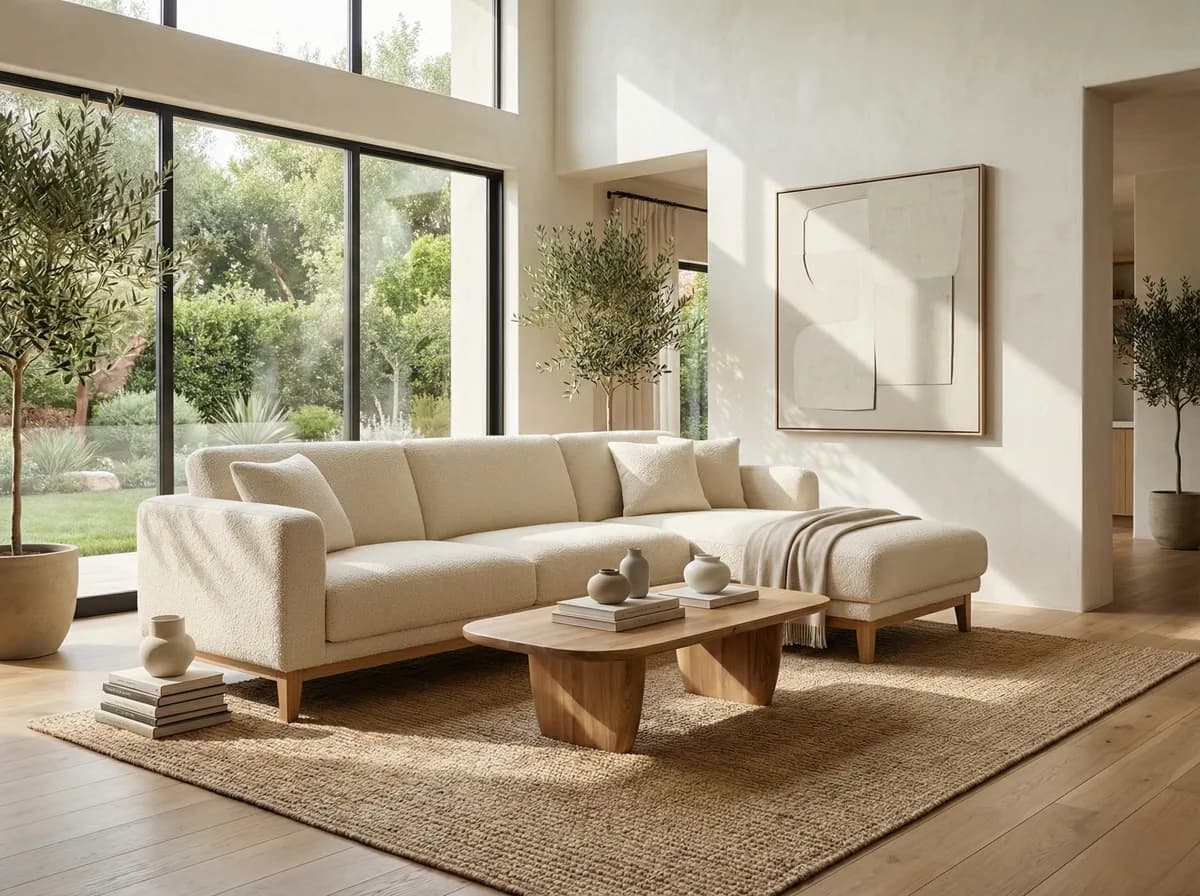 Lifestyle room scene
Export assets for your channels. Direct publishing is available where supported by your connected account. Explore integrations
MADE FOR THE WAY YOU SELL
Illustrative room scenes, not a product-fidelity benchmark. Compare generated assets with the source product before retailer approval.
THE FURN FIELD GUIDE
Practical guides for the work behind the creative. Plan a campaign, check what AI gets right, and connect each asset to a shopper’s next step.
01 / PLAN
Choose a buyer question, a useful offer, and one outcome you can measure.
02 / CREATE
Start with source photos. Check product fidelity before you approve an asset.
03 / REACH BUYERS
Match the product, message, and destination to the shopper’s next decision.
A WORKFLOW YOU CAN USE TODAY
Includes a product-fidelity checklist and a downloadable campaign worksheet.
Published by Furn. Read our evidence and editorial standards.
YOUR NEXT CHAPTER STARTS HERE
Try images, copy, and Campaign Packs with a 30-day Starter trial. No card to start. Continued video generation requires Growth or above.
Campaigns, images, and copy. Continued video generation excluded.
Billed monthly
Start Starter trialCampaigns plus continued video generation using creative credits.
Billed monthly
Explore GrowthCampaigns plus continued video generation using creative credits.
Billed monthly
Explore ProA bigger vision? Custom plans for manufacturers and national teams.
Let’s talk EnterpriseThe free video sample, Starter campaign trial, and paid Growth subscription are separate offers. Saving a video does not start a trial. The saved-video Growth offer charges the first month immediately; general checkout honors any remaining Starter trial. Choose monthly or annual billing. Cancel renewal anytime. A 0.6% fee applies to managed ad spend. Compare all plan details.
A five-second vertical video made from your furniture photo—ready to preview in Studio and save to your workspace. Start with your original photo and setting. Add your own confirmed promotion, or let the product speak for itself. AI motion can change details, so compare the result with your product before publishing. The film above is an illustrative example, not a live offer.
Yes. Drop a photo into Studio to create and watch a free five-second video. Create a free account to save and download it. Choose Growth when you’re ready to make more videos; the price and billing terms are shown before you pay.
AI can change product details, so every asset stays yours to review. Compare the shape, color, materials, seams, legs, and hardware with your source photo before publishing. Original-photo mode skips AI restyling; motion still needs a final check.
View current integrationsStart with a clear photo of your furniture. Make sure the whole product is visible and well lit. Product-only photos and showroom photos are both useful starting points. Always review generated details before publishing.
Yes. The campaign workflow brings together product imagery, social and ad copy, email packages, and exports from one product and confirmed offer. You can also create still images in Studio. Review every asset before use.
You can export campaign assets and email packages. Direct publishing depends on the channel and your connected account; some connections are in beta or planned. Check the integrations page for current availability.
View current integrationsThe 30-day Starter trial lets you create product images, copy, and Campaign Packs, then review and export. No card is required to start. Continued video generation is excluded. The free video sample is separate: saving it does not start a Starter trial. The saved-video Growth offer charges the first month at checkout and unlocks continued video generation after payment.
YOU ALREADY HAVE THE FURNITURE.
Drop in a photo. Watch it come to life. Save your favorite.